
Need to let visitors know that your team is away, a sale is underway, or a deadline is approaching before they submit the form? Placing a notification at the top of your form is a good way to grab their attention. But how do you actually add them in Gravity Forms?
Gravity Wiz Form Notifications is a free, no-code plugin that adds such capabilities to Gravity Forms. Write a message, set a date range, and it will appear at the top of your form automatically for that window, then disappear when it’s finished.
It’s easy to configure, but more flexible than it seems. Here are some examples of how to take advantage of it!
Gravity Wiz is a third-party certified developer and its add-ons are not supported by Gravity Forms. As always, we recommend that you evaluate all plugins extensively to ensure they suit your purposes before installation on your website.
Sales and special offers
Running a flash sale or limited time offer? A notice placed at the top of your registration or order form ensures visitors know about it before it’s gone.
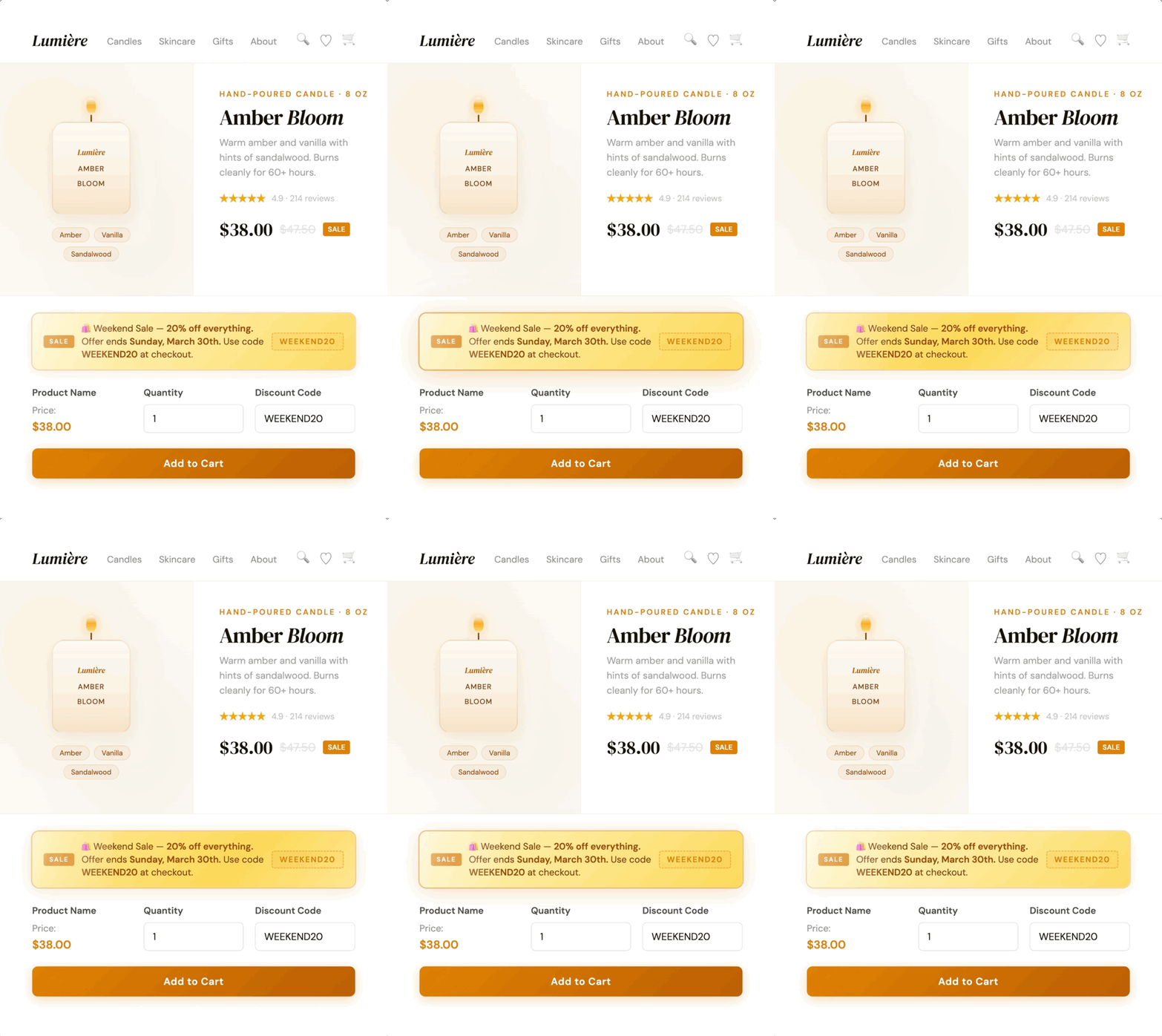
Form Notifications supports date merge tags, so you can insert the exact offer end date into your message automatically. These notifications remain accurate every time you reuse them for new promotions.
Time sensitive reminders
For forms with a time limit (signup window, registration deadline, or upcoming event), you can pop up a reminder at the top of the form for a certain period of time before that.
For example, a workshop registration form could display notifications starting a week before the venue closes.
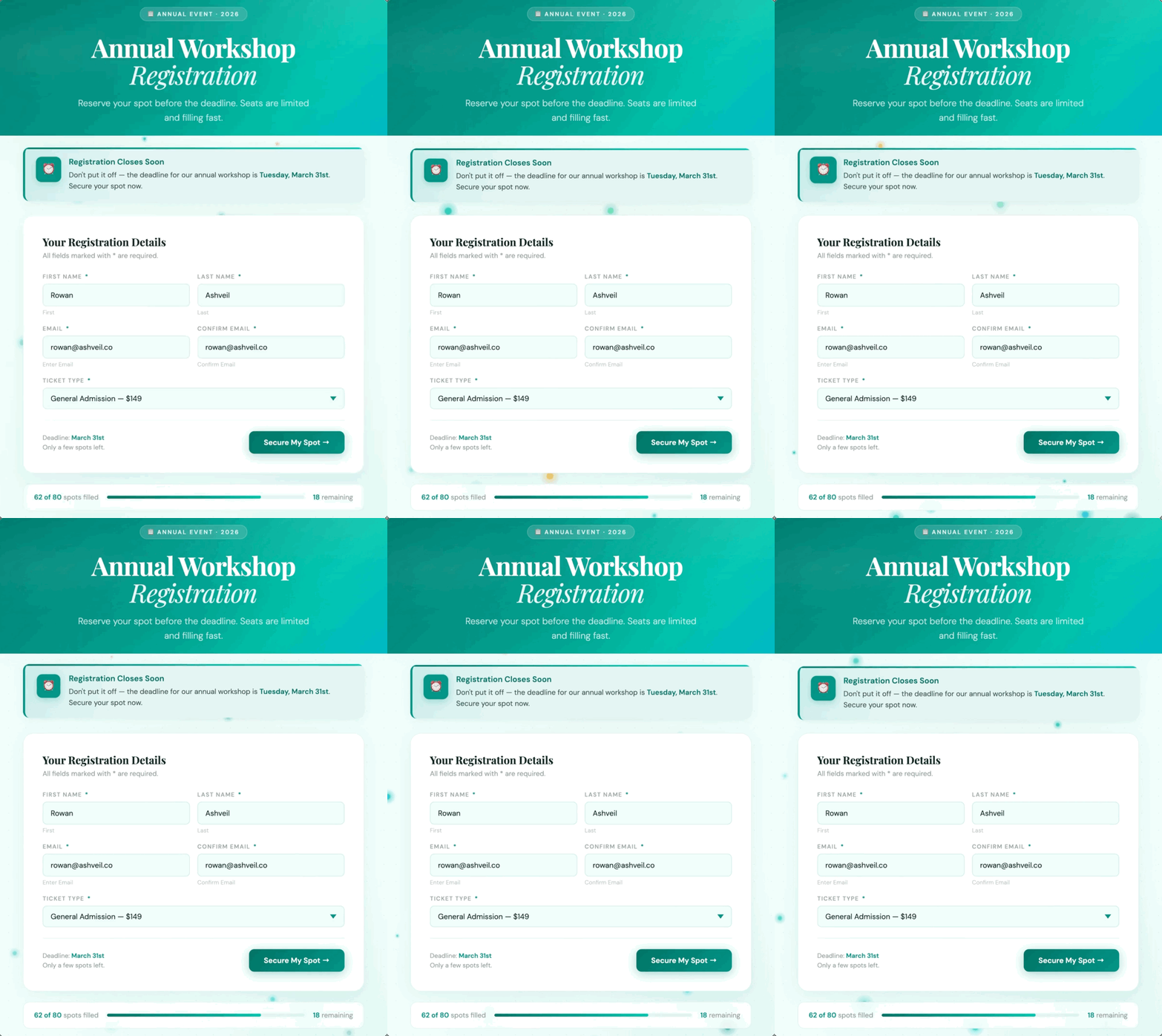
Early Notification settings allow you to specify exactly how many days before due date notifications start appearing. Once the time limit has passed, it will disappear automatically.
Office closure
When the holidays come or your team goes away for a few days, your form remains active and visitors continue to visit it. With Form Notifications, you set a start and end date for the close and the notification displays at the top of the form for that window.
For annual closes, you can use wildcard dates, which allow you to set a recurring date range without specifying a year, so that notifications run automatically every time.
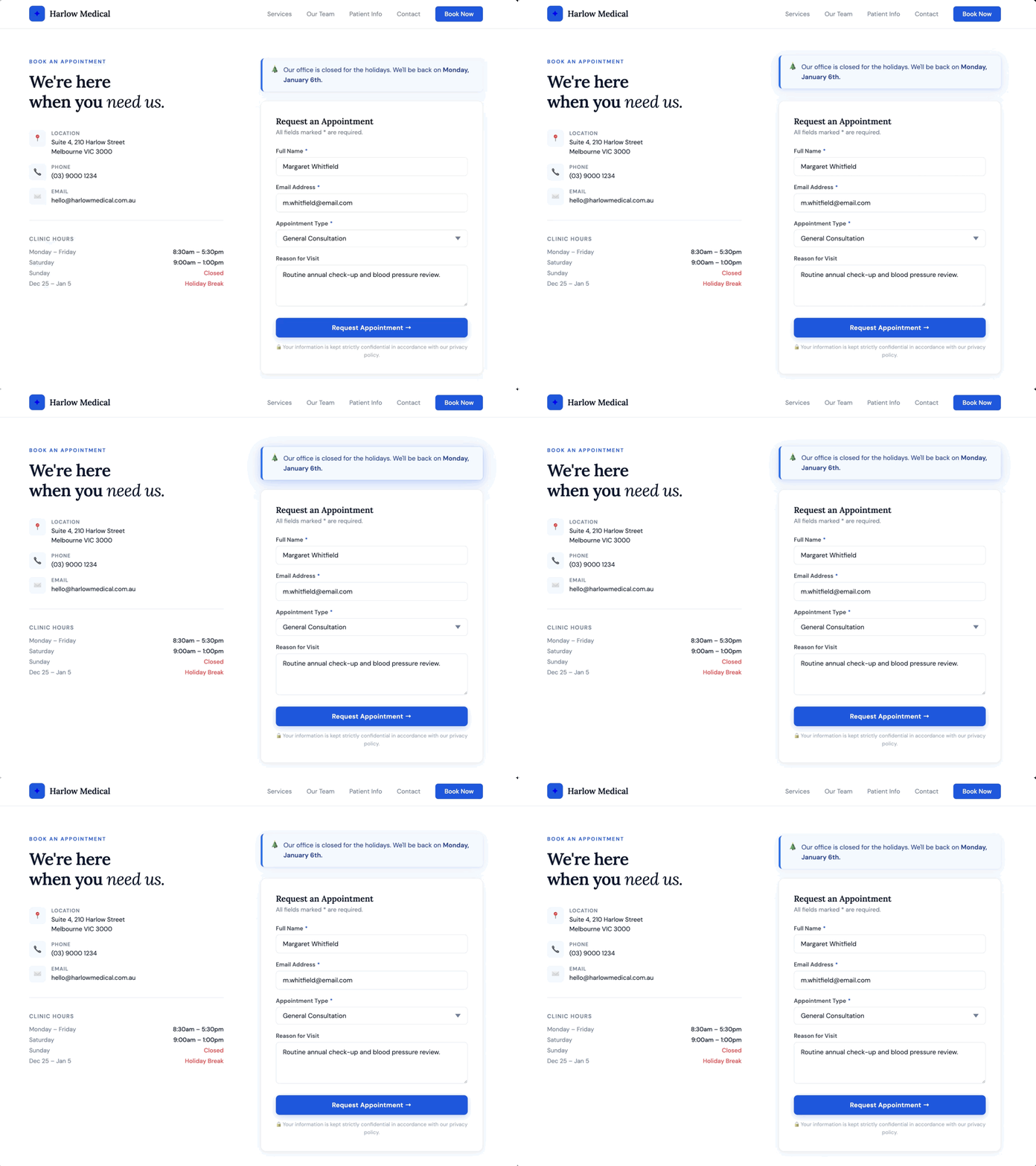
For example, setting December 25th as the start date and January 5th as the end date covers your entire holiday break and shows visitors exactly when you will be back. Configure it once and run automatically every year.
Run multiple notifications at once
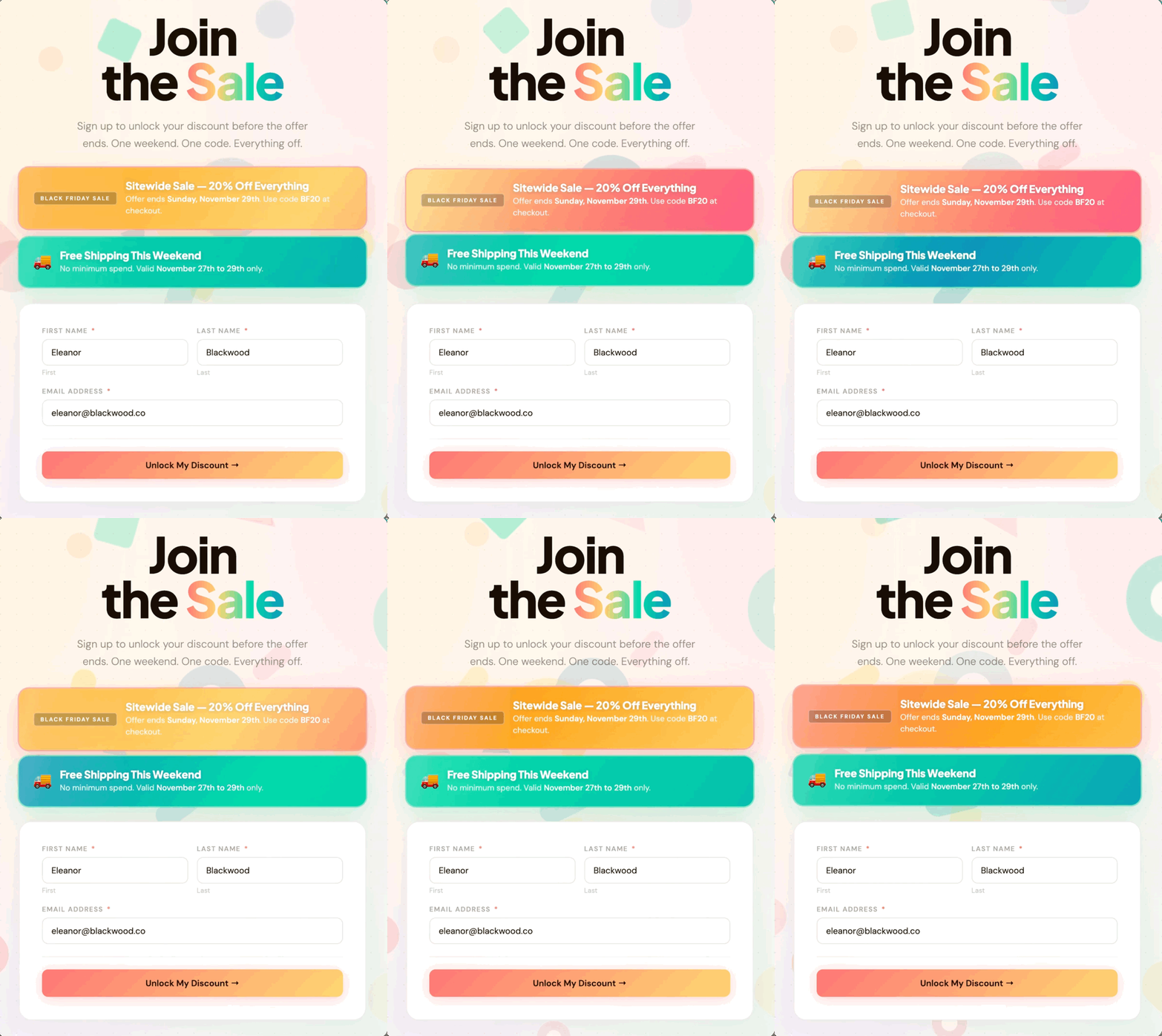
You can enable more than one notification on the same form at the same time. Each is in its own feed inside your form settings, and they are stacked on top of the form in whatever order you set them.
This is useful when two things are happening at the same time, like a sitewide sale and a free shipping offer, and you want both to be visible before a visitor submits.
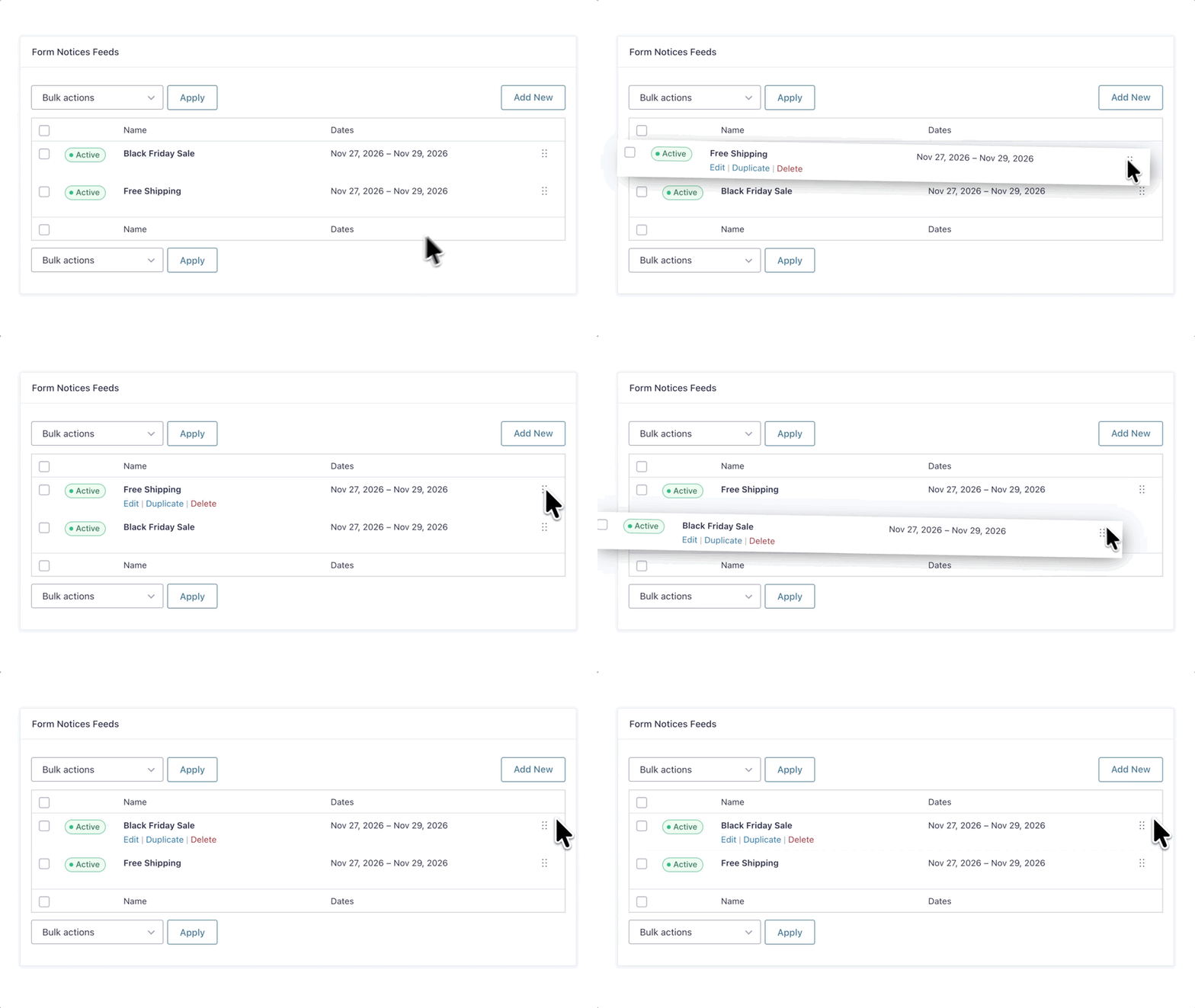
Just drag and drop on the feed list to set the display order.
Recurring notifications
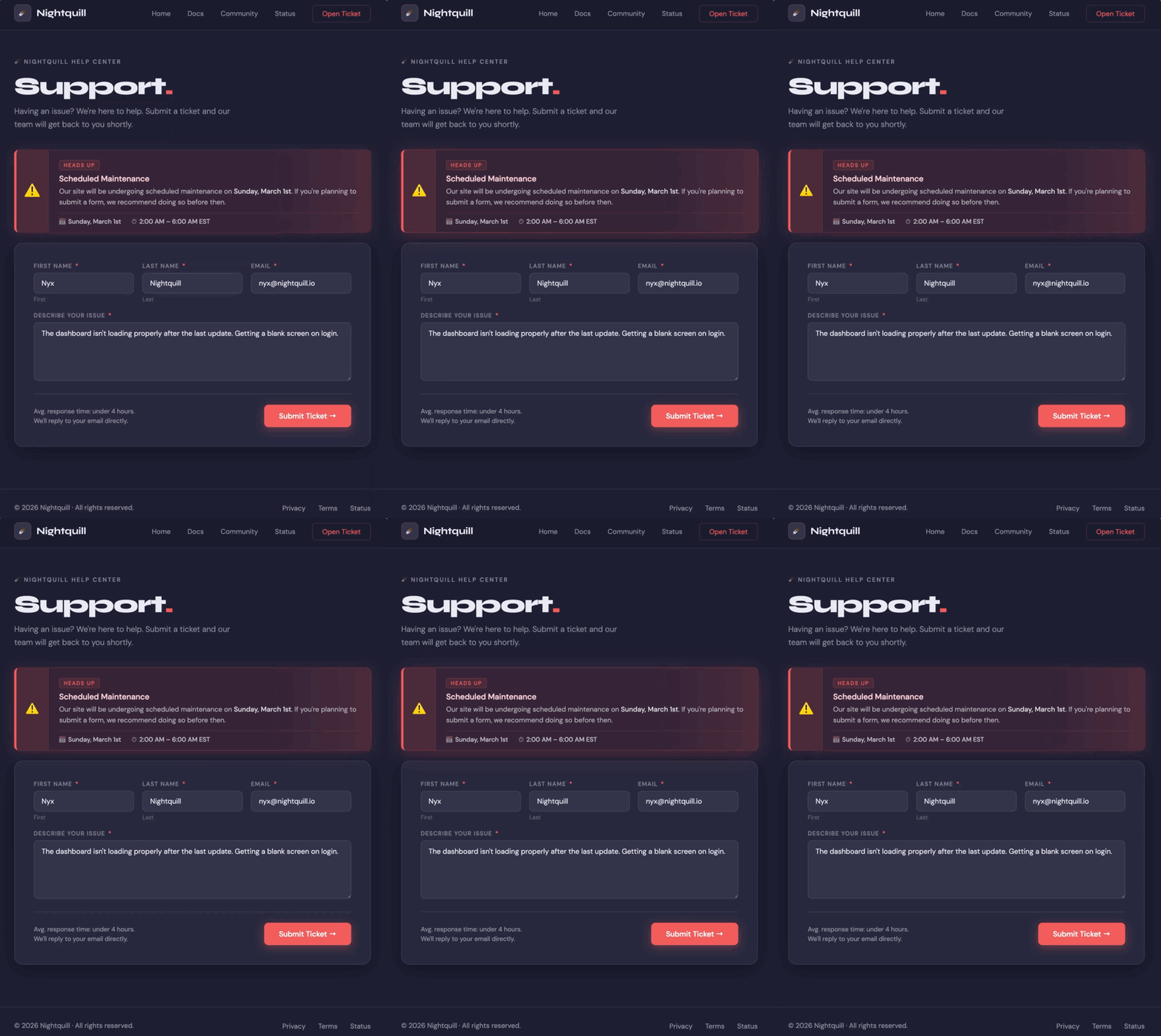
Some notifications don’t follow a specific date—they follow a pattern. Maybe your support team is unavailable on the last Friday of the month, you run a maintenance window on the first Sunday of the quarter, or intake forms reopen on a set schedule.
For these situations, Form Notifications supports natural language dates, so you can explain your schedule in plain English instead of manually calculating specific dates every time.
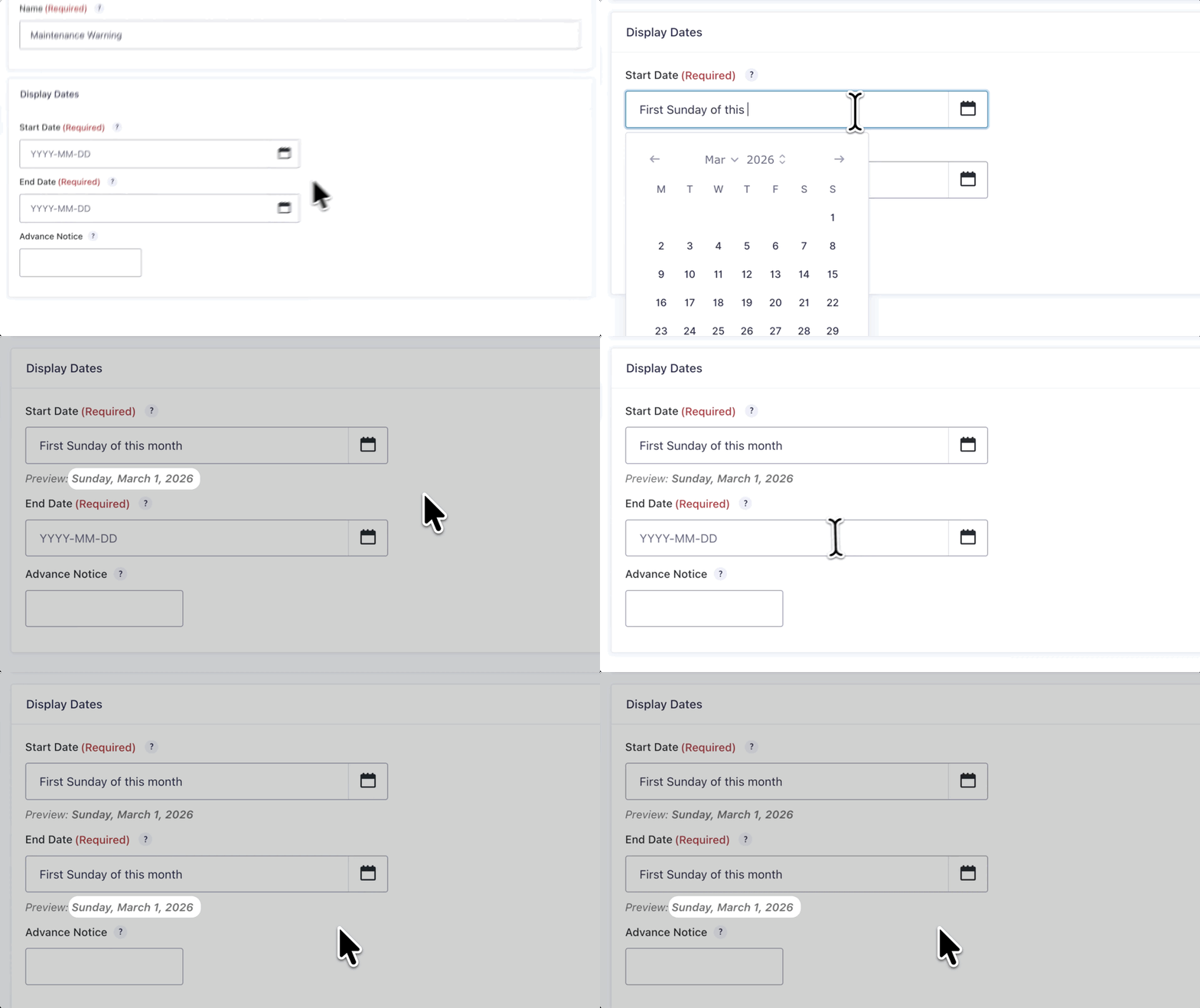
Type something like “First Sunday of this month” into the date field and Form Notification will determine the correct date itself.
Ready to add a notification to your form?
GF Form Notifications are available free from Gravity Wiz. Visit the Gravity Wiz Form Notification documentation to see everything it can do.
PakarPBN
A Private Blog Network (PBN) is a collection of websites that are controlled by a single individual or organization and used primarily to build backlinks to a “money site” in order to influence its ranking in search engines such as Google. The core idea behind a PBN is based on the importance of backlinks in Google’s ranking algorithm. Since Google views backlinks as signals of authority and trust, some website owners attempt to artificially create these signals through a controlled network of sites.
In a typical PBN setup, the owner acquires expired or aged domains that already have existing authority, backlinks, and history. These domains are rebuilt with new content and hosted separately, often using different IP addresses, hosting providers, themes, and ownership details to make them appear unrelated. Within the content published on these sites, links are strategically placed that point to the main website the owner wants to rank higher. By doing this, the owner attempts to pass link equity (also known as “link juice”) from the PBN sites to the target website.
The purpose of a PBN is to give the impression that the target website is naturally earning links from multiple independent sources. If done effectively, this can temporarily improve keyword rankings, increase organic visibility, and drive more traffic from search results.
Jasa Backlink
Download Anime Batch