
We are proud to announce the release of Gravity SMTP 2.2. In this update, we’ve added three new integrations – Cloudflare Email Service, SMTP.com, and Mailtrap – along with the ability to resend emails to different recipients, new regional name settings and SendGrid IP pools for EU/GDPR compliance, and important updates to our Emailit integration.
Gravity SMTP is available for free to anyone with an active Gravity Forms Elite, Nonprofit, or Developer license. If you hold one of these licenses, simply go to your Gravity Forms Account section to download Gravity SMTP today!
Let’s take a closer look at what’s new in Gravity SMTP 2.2…
New integration: Cloudflare Email Service
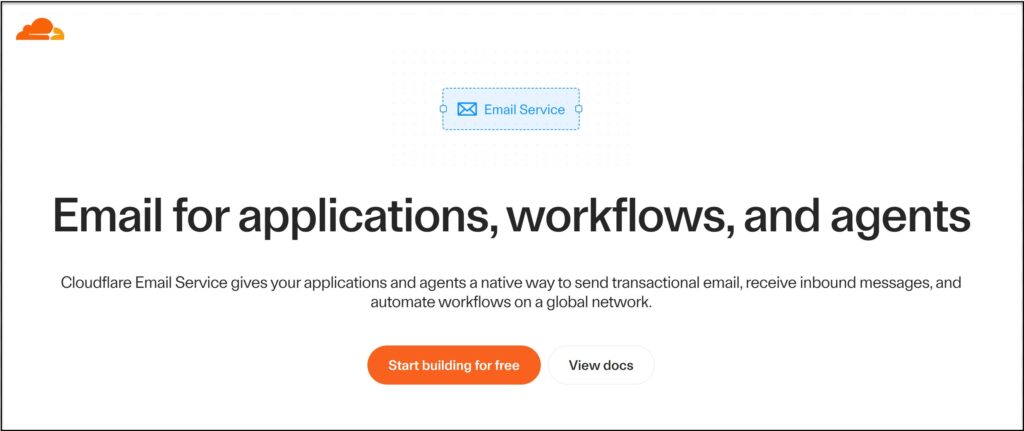
With Gravity SMTP 2.2, you can now send WordPress emails via the new Cloudflare Email Service, which is currently in public beta.
Cloudflare Email Service was built with agent workflows in mind, making it a good fit for developers who are building AI-powered applications and need reliable programmatic email delivery as part of the stack.
For those already using Cloudflare for CDN or hosting, this integration makes it easy to consolidate your transactional email sending within the same platform. And with Cloudflare’s global network supporting delivery, you can rely on reliable email deliverability, with emails reaching recipients quickly, wherever they are.
It’s important to note that, because Cloudflare Email Service is currently in public beta, API behavior, limitations, and pricing are subject to change.
For step-by-step setup instructions, visit our Cloudflare SMTP Gravity Email Service documentation.
New integration: SMTP.com

Gravity SMTP 2.2 also adds support for SMTP.com, a long-standing email sending platform that has been helping businesses send email reliably since 1998.
SMTP.com is a great choice for businesses and large shippers who need proven, deliverability-focused service. Dedicated IP is included in all plans, along with inbox placement monitoring and access to deliverability experts – making it perfect for teams whose email performance is business-critical.
SMTP.com offers a 30-day free trial with up to 50,000 emails to get you started. Paid plans start at $25/month (at time of writing). Visit the SMTP.com website for complete pricing details.
For setup instructions, see our SMTP.com documentation.
New integration: Mailtrap
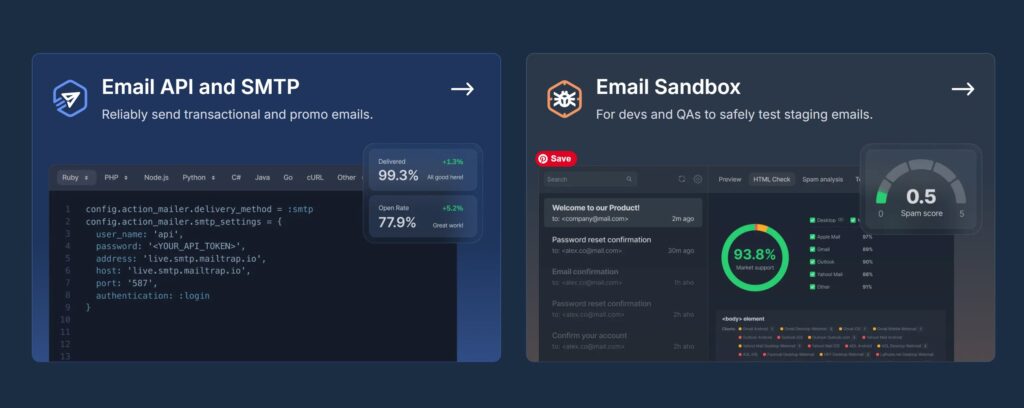
Rounding out the new integrations in 2.2 is Mailtrap – a popular choice among developers and agencies for managing email across client sites.
Mailtrap covers the entire journey from testing to live delivery. Its built-in email sandbox allows you to safely test email flows without the risk of messages reaching actual recipients – making it easy to validate everything works before you go live.
On the delivery side, Mailtrap offers high deliverability and detailed analytics. A free plan is available, with paid plans starting at $15/month for 10,000 emails (at time of writing). Visit the Mailtrap website for complete pricing details.
For more information on setup, see our Gravity SMTP Mailtrap documentation.
Resend the email to another recipient
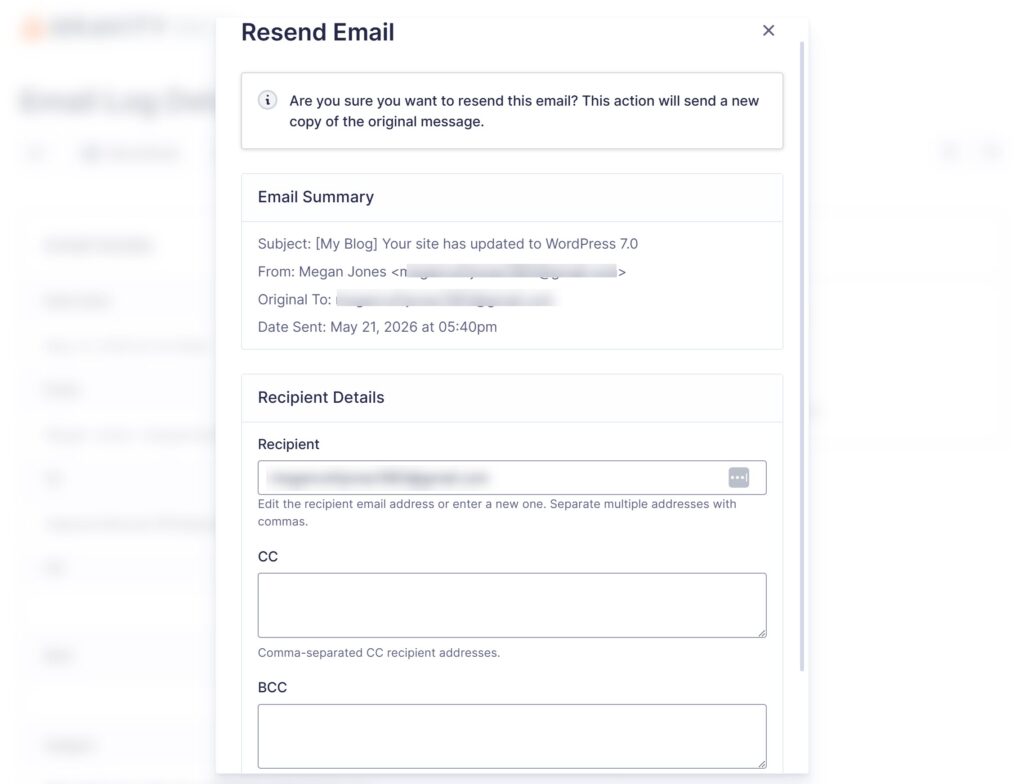
In addition to new integrations, Gravity SMTP 2.2 adds practical improvements to email logs. When resending an email, you can now edit the recipient address – you are no longer limited to resending to the original address. You can also add CC and BCC addresses at the same time.
This makes it easy to forward failed emails to another inbox, redirect test emails to a QA address, or send a copy to a client, all without leaving Gravity SMTP.
To find out more, see Gravity’s SMTP Email Logs documentation.
Additional updates
Gravity SMTP 2.2 also includes the following updates:
- SendGrid: Added Region (Global/EU) and IP Pool Name settings – SendGrid users with EU data processing requirements can now specify the region (Global or EU) and IP pool name when sending email, allowing you to route emails through designated EU IP pools to support GDPR compliance.
- Emailit: API v2 Update – Since Emailit retired API v1, Gravity SMTP 2.2 ships with support for Emailit API v2. If you use this email service, we recommend updating to 2.2 and reconnecting with Emailit as soon as possible.
Get Gravity SMTP today!
As mentioned, Gravity SMTP is available for free with a Gravity Forms Elite, Nonprofit, or Developer license. If you hold one of these licenses, or want to upgrade, simply go to your Gravity Forms Account section to download Gravity SMTP today.
Alternatively, if you are not yet a customer, go to the pricing page to make a purchase.
Want to find out more? You can explore our ultimate guide to Gravity SMTP for step-by-step plugin setup instructions and detailed coverage of its various features.
SMTP Gravity changelog 2.2
- Added Cloudflare Email Service connector with API-based domain validation.
- Added Mailtrap email connector with sandbox mode support.
- Added SMTP.com email connector.
- Added an action that fires as soon as the Primary connector type fails.
- Added the ability to edit the recipient’s email address, CC, and BCC before resending an email from the activity log.
- Added Region (Global/EU) and IP Pool Name settings to the SendGrid connector for EU data residency and GDPR compliance.
- Fixed an issue where postmark emails sent to a combination of active and hidden recipients would log a generic success message instead of displaying suppression details from Postmark.
- Security improvements.
- Updated the Amazon SES setup instructions to recommend least-privilege IAM permissions instead of a full access policy.
- Emailit Connector updated to use API v2.
As always, if you have any questions about Gravity SMTP or how to get started, our expert Support team is ready to help!

Bulletin
If you want to stay up to date on what’s happening on the blog, sign up for the Gravity Forms newsletter!
“*” indicates a required field
PakarPBN
A Private Blog Network (PBN) is a collection of websites that are controlled by a single individual or organization and used primarily to build backlinks to a “money site” in order to influence its ranking in search engines such as Google. The core idea behind a PBN is based on the importance of backlinks in Google’s ranking algorithm. Since Google views backlinks as signals of authority and trust, some website owners attempt to artificially create these signals through a controlled network of sites.
In a typical PBN setup, the owner acquires expired or aged domains that already have existing authority, backlinks, and history. These domains are rebuilt with new content and hosted separately, often using different IP addresses, hosting providers, themes, and ownership details to make them appear unrelated. Within the content published on these sites, links are strategically placed that point to the main website the owner wants to rank higher. By doing this, the owner attempts to pass link equity (also known as “link juice”) from the PBN sites to the target website.
The purpose of a PBN is to give the impression that the target website is naturally earning links from multiple independent sources. If done effectively, this can temporarily improve keyword rankings, increase organic visibility, and drive more traffic from search results.
Jasa Backlink
Download Anime Batch