
By Gravity Expert
Published February 18, 2026 · Updated February 19, 2026
Connect Gravity Forms to external services to push, pull, and populate data without writing code.
What if your forms could communicate with any tool on the web? Imagine validating entries against a live government database or retrieving customer details from your CRM as users type their emails. Or, maybe you want to quickly send organized data to your other applications.
Alchemist’s Gravity Connect API makes this possible.
What is Alchemist GC API?
Think of it as a bridge that enables two-way conversations between Gravity Forms and the platforms you use every day, such as CRM, help desk, and automation tools.
Alchemist’s Gravity Connect API unlocks that foundation every services that speak API. You can pull data in, pull data out, validate entries against a live database, or trigger multi-step workflows across your technology stack.
If you’re new to APIs, don’t worry! We’ve created a friendly pocket guide that explains everything you need to know. If not, let’s see what might happen.
Pull and fill in data
Gravity Connect API Alchemist connects Gravity Forms to external sources such as databases or government registries to pull information directly into your entries. Here are two ways you can use that data to improve your workflow:
Data Search
Enrich entries and fill fields automatically
Let’s say you ask for a customer’s email. You can use it to search for their profile in your CRM and automatically enter their company name, job title, and more. This data is saved directly into the entry and enriches your prospect data without forcing users to type it all in.
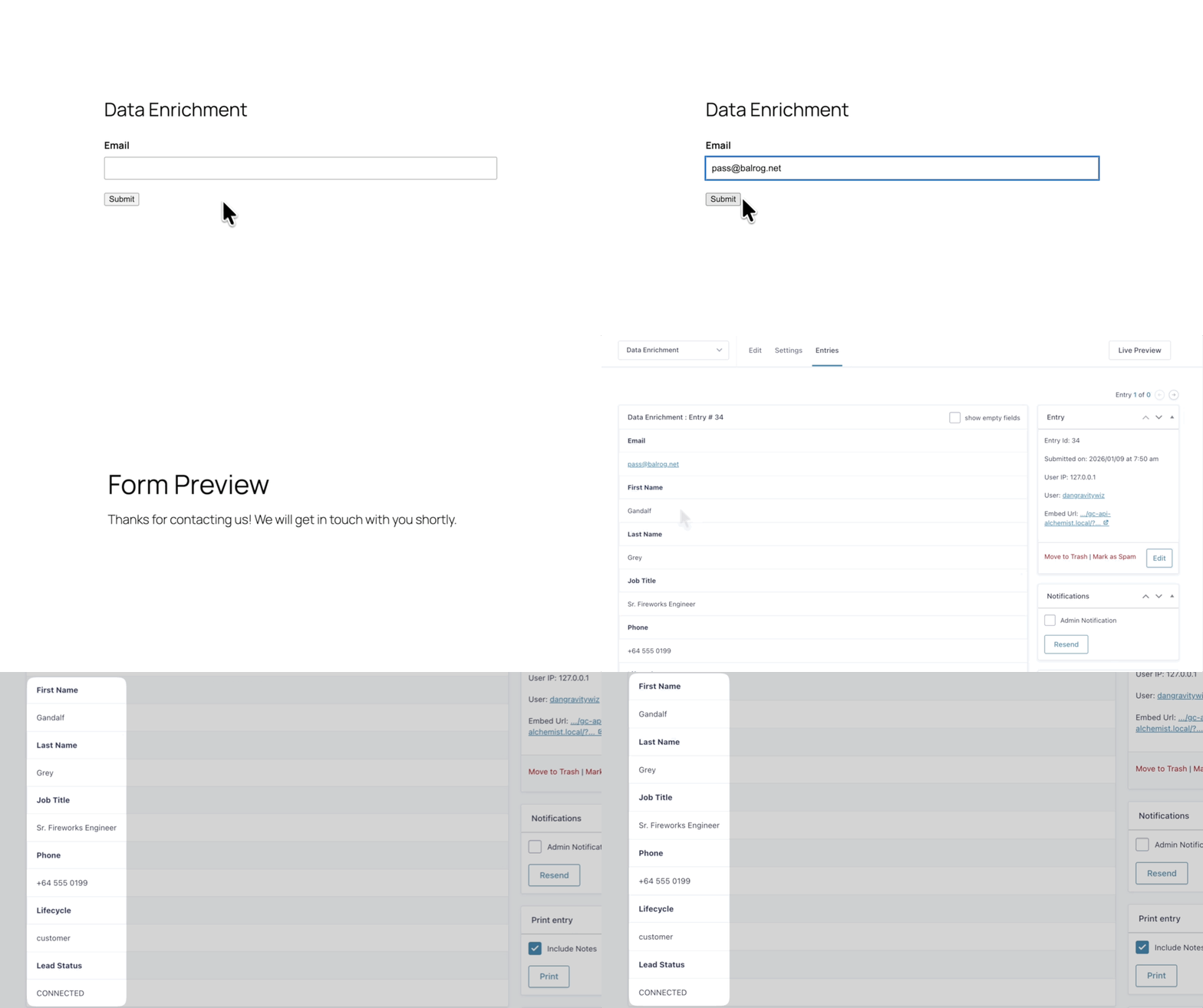
Users enter an email address in the email field on the front and see the entry on the back, with other contact details filled in.
Furthermore, you can combine this with Gravity Perks Populate Anything. Once you capture that data, you can use it to populate other fields in real-time as users interact.
For example, you can directly display data pulled from your CRM by filling it in another field before the user submits an entry.
Data validation against live database
This search is useful for ensuring you are collecting valid data by validating input against a live database before the form is submitted.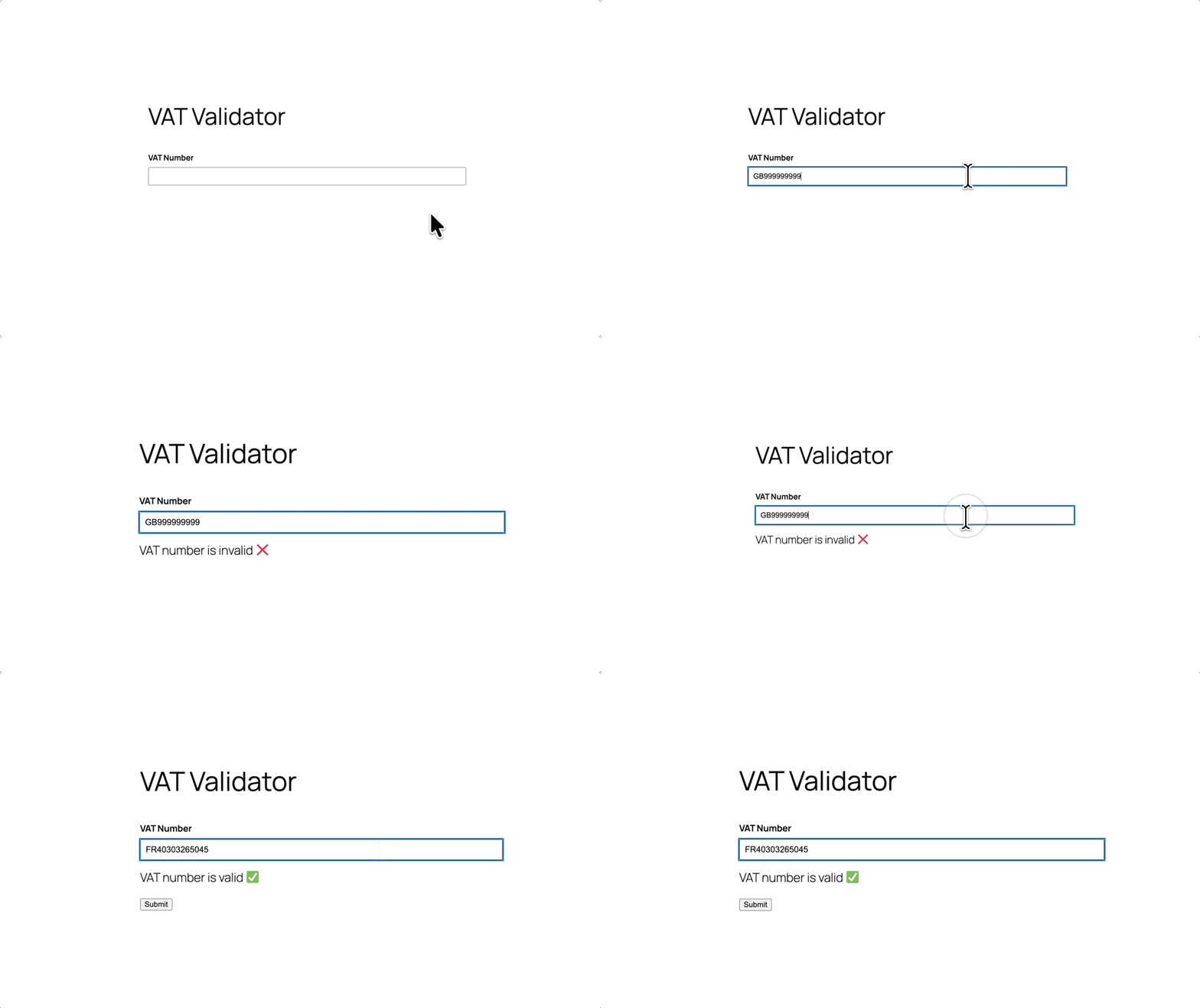
A user submits an invalid VAT number and receives an invalid message, then deletes it and replaces it with a valid VAT number and receives a valid message.
A good example here is validating VAT numbers. When a user enters a tax number, the form checks it against the government’s official list. If the ID is active, the form is submitted. Otherwise, users will see an error.
Push Gravity Forms data anywhere
Once you take form submissions, you may need to submit them outside of your WordPress site. GC API Alchemist allows you to push data into any service with an API.
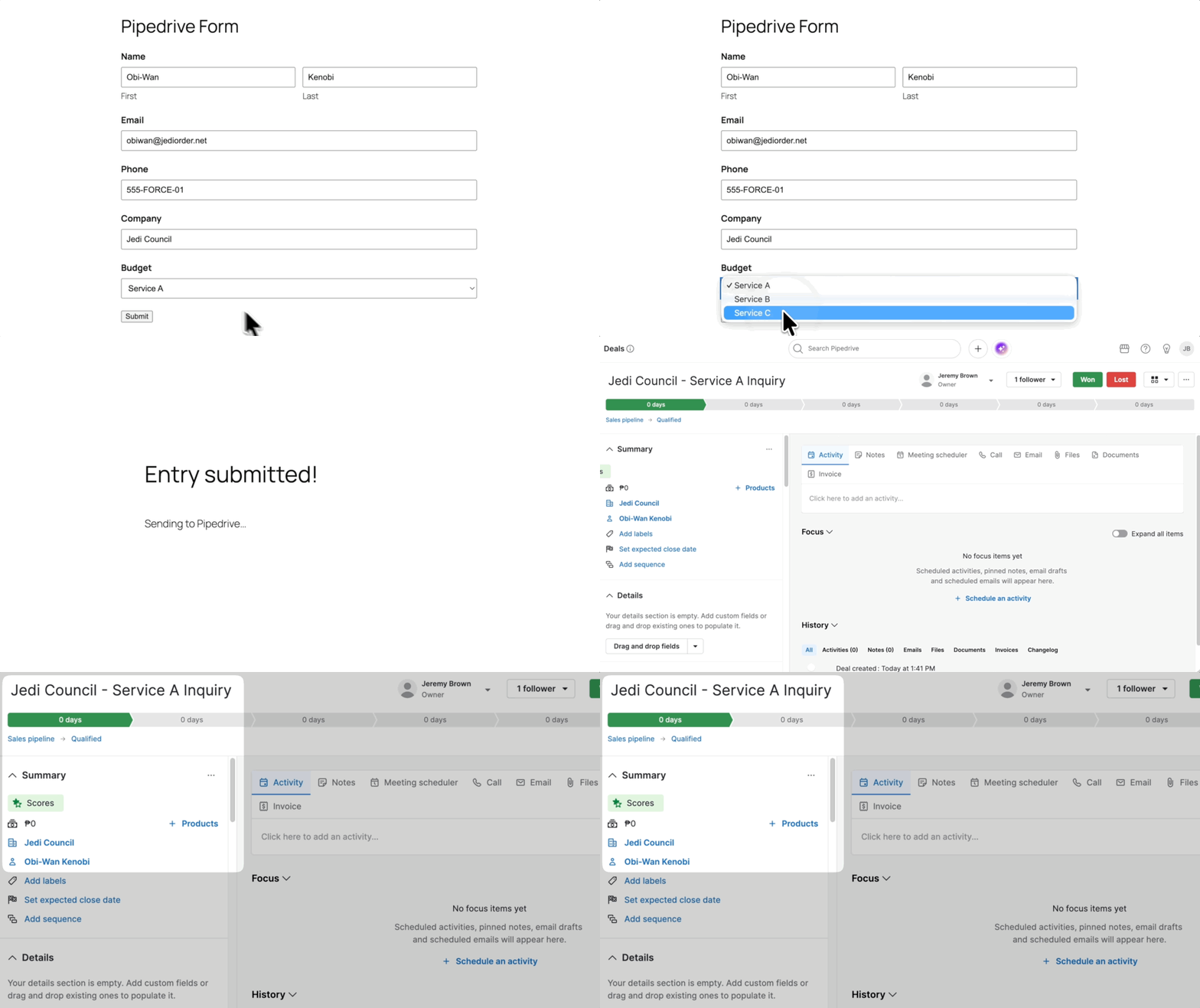
The user fills out the form on the front end and submits it, then switches to a new browser window in Pipedrive, where the newly created deal from the form submission appears.
This opens the door to platforms like n8n, HubSpot, Pipedrive, or custom in-house systems.
Automate WordPress workflows
Sending data is often only the first step. The real alchemy happens when you send that data to automation platforms like Zapier and n8n to trigger a chain of events across your business systems.
Let’s say a user uploads a PDF invoice. Alchemist’s Gravity Connect API sends it to n8n, where the AI extracts important details like invoice numbers and line items. The structured data then flows automatically to your accounting system or back to your Gravity Forms.
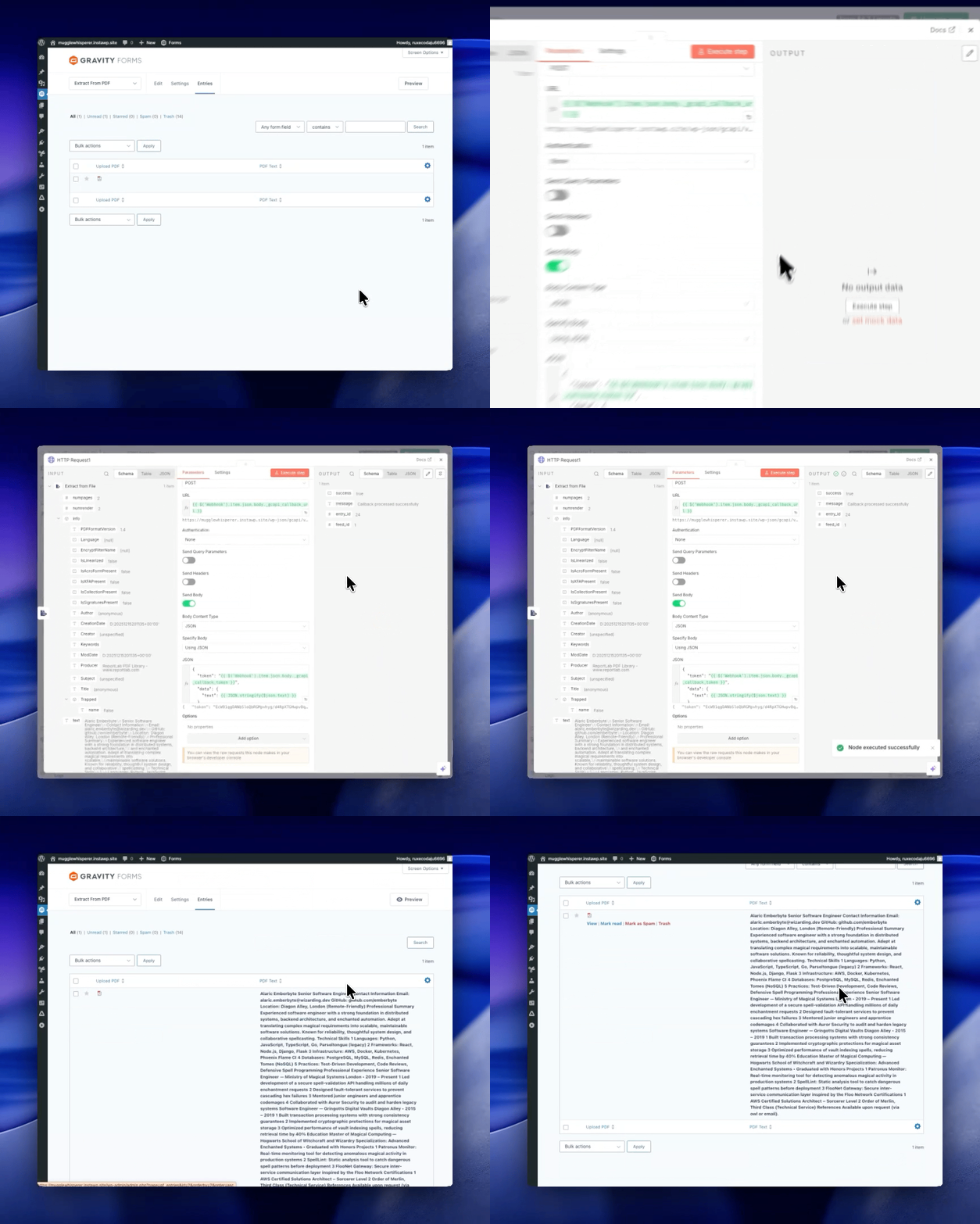
The n8n user interface shows the final step of sending the PDF text back to Gravity Forms. The entry list shows all the extracted text stored in the entry.
You can build a process where a single form submission initiates an entire chain of actions, such as creating a ticket, updating the database, and sending a notification.
One form submission = multiple steps across multiple platforms.
Alchemist’s Device
Gravity Connect API Alchemist doesn’t have to work alone! This gets even better when paired with the other perks of your Spellbook:
- Gravity Perks Send to Access allows you to grant access to content only if the API responds successfully. This is useful for verifying membership IDs or credentials before unlocking content.
- Gravity Perks Conditional Logic Dates control when API calls are executed based on date rules to check booking availability or validate time-sensitive input.
- Gravity Perks Nested Forms takes API data in the parent form and passes it to the child form, keeping everything connected through a complex, multi-step process.
And that’s just scratching the surface. With a complete Spellbook at your disposal, the sky’s the limit!
Let’s start building!
Ready to make your first connection?
Check out Alchemist’s Gravity Connect API documentation for everything you need to get up and running.
So, what will you alchemize first?
Berita Terkini
Berita Terbaru
Daftar Terbaru
News
Berita Terbaru
Flash News
RuangJP
Pemilu
Berita Terkini
Prediksi Bola
Togel Deposit Pulsa
Technology
Otomotif
Berita Terbaru
Daftar Judi Slot Online Terpercaya
Slot yang lagi gacor
Teknologi
Berita terkini
Berita Pemilu
Berita Teknologi
Hiburan
master Slote
Berita Terkini
Pendidikan
Resep
Jasa Backlink
One Piece Terbaru