
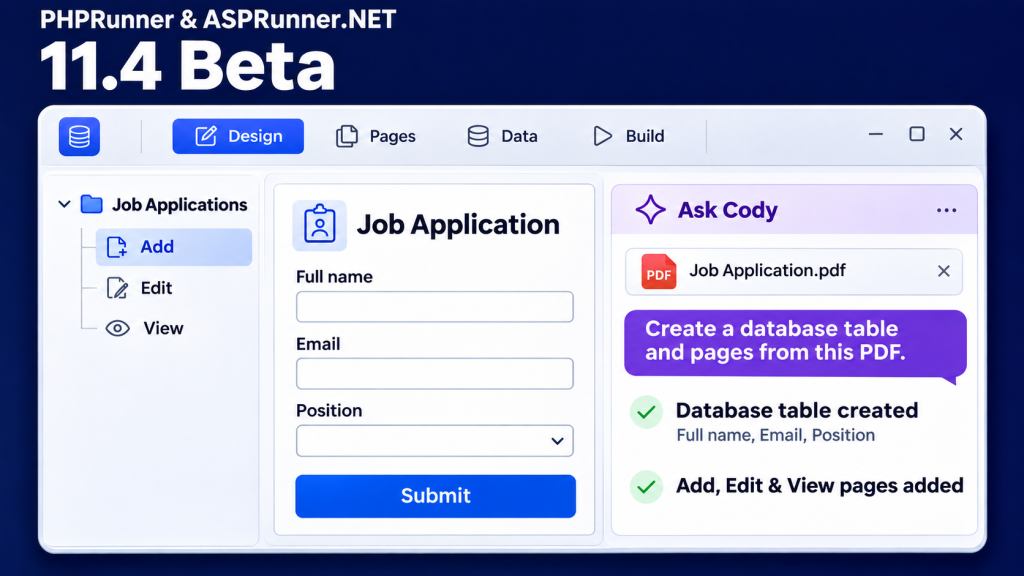
The PHPRunner and ASPRunner.NET 11.4 beta is here!
Cody, the built-in Code Assistant, can now make changes directly to your project. The beta also adds accessibility improvements for the web applications you build.
Beta version download links:
PHPRunner 11.4 for Windows
PHPRunner 11.4 for Mac
PHPRunner 11.4 for Linux (Debian)
PHPRunner 11.4 for Linux (RedHat)
ASPRunner.NET 11.4
1. Talk to Cody to make changes to your project
In version 11.4, you can ask Cody to change how a field behaves, reorganize a page, or create a chart or report.
In the video, we give Cody a PDF job application form and ask it to create the database tables and pages we need to collect applications. Cody shows the proposed database changes for approval, creates the related tables, and adds the pages to the project. You can then open the pages in Page Designer and adjust them. The video also shows Cody creating a chart of sales totals by country from a prompt.
Watch Cody build from a PDF and create a chart.
Here are some sample prompts you can try in PHPRunner and ASPRunner.NET 11.4:
- On the Calendar Add and Edit pages, disable the Desc field whenever Subject is empty.
- Add a button to the Calendar List page that writes the current record’s data to a file on disk. Pick a directory for now. I’ll change it later.
- Update this event so it also writes the resulting status message to the browser console.
- Review the form in the attached file. Use an existing database table if one matches, or create a table if needed. Create an Add page that looks like the form, saves submissions to the database, and includes the standard pages for reviewing the results.
- Create a chart that maps carsusers.id to username.
- Create a report from the carsusers table. Group records by the first letter of username and show the maximum id for each group.
- Add about half of the remaining fields to the report and its print view. Choose which fields to include and display them without adding summaries.
- Regroup the fields on the Calendar Add page. Show the most important fields by default and give users a way to reveal the remaining fields.
2. WCAG 2.1 Level AA accessibility support
Version 11.4 adds accessibility improvements to generated applications. This is especially relevant if you build web applications for U.S. state and local governments. The ADA Title II web accessibility rule sets WCAG 2.1 Level AA as the technical standard for covered web content and mobile apps. Read the U.S. Department of Justice fact sheet.
Keyboard access. Users can move between controls with Tab and activate buttons with Enter or Space.
Forms and reports. Screen readers can identify the label for each form field and the headings associated with report values.
Text contrast. We increased the contrast between text and backgrounds to make text easier to read.
Image descriptions. Users can add text descriptions when uploading informative images. Decorative images are marked so screen readers can skip them. AI-generated description suggestions are planned for the final release.
We expect the final release before December 10. Two features below will be available in the final version
3. Built-in MCP server
The built-in MCP server will let chatbots and other AI agents connect to web applications built with PHPRunner and ASPRunner.NET. It will provide the same basic record operations as the REST API, such as searching, adding, and updating records. You’ll also be able to define custom MCP actions directly in your project.
In the PHPRunner prototype, we ask an AI assistant to show the last five orders. A custom action goes a step further and creates a customer and a complete order in one request.
Watch the PHPRunner MCP prototype demo
Read about the prototype and download the sample project
4. Search individual dashboard grids
You’ll be able to add a separate search box to each grid on a dashboard. For example, users can search the Products grid while the Customers and Employees grids continue to show their current results.
See how search works within an individual dashboard grid in our earlier tutorial.
Enjoy!
PakarPBN
A Private Blog Network (PBN) is a collection of websites that are controlled by a single individual or organization and used primarily to build backlinks to a “money site” in order to influence its ranking in search engines such as Google. The core idea behind a PBN is based on the importance of backlinks in Google’s ranking algorithm. Since Google views backlinks as signals of authority and trust, some website owners attempt to artificially create these signals through a controlled network of sites.
In a typical PBN setup, the owner acquires expired or aged domains that already have existing authority, backlinks, and history. These domains are rebuilt with new content and hosted separately, often using different IP addresses, hosting providers, themes, and ownership details to make them appear unrelated. Within the content published on these sites, links are strategically placed that point to the main website the owner wants to rank higher. By doing this, the owner attempts to pass link equity (also known as “link juice”) from the PBN sites to the target website.
The purpose of a PBN is to give the impression that the target website is naturally earning links from multiple independent sources. If done effectively, this can temporarily improve keyword rankings, increase organic visibility, and drive more traffic from search results.
Streaming Film
Nonton Film gratis
Jasa Backlink
Download Anime Batch